
How to Plan the Perfect Video Game Birthday Party for Kids and Teens
This guide explains how parents can plan a fun and stress-free video game birthday party for kids and teens — from choosing games and a venue to schedules, snacks, packages, and invitations at Olympus Gaming Lounge in Louisville.
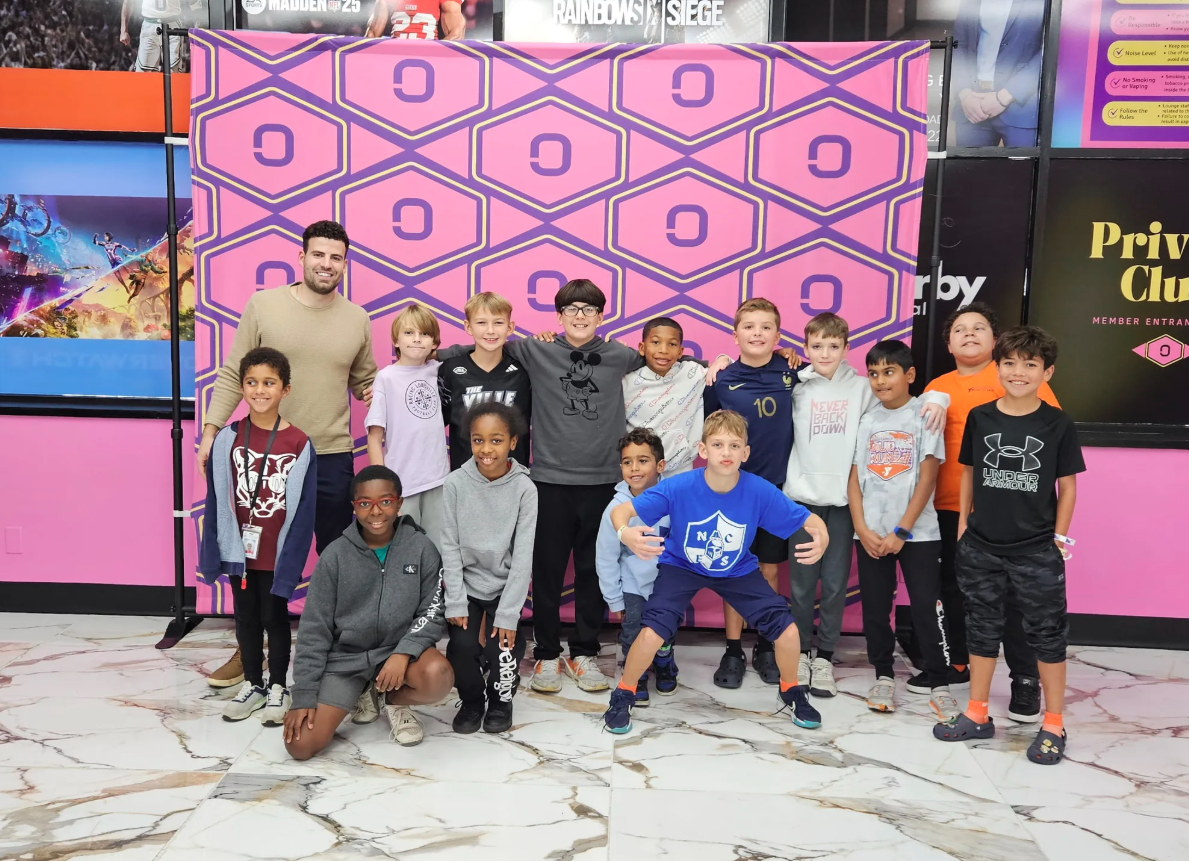
Planning a birthday celebration can be exciting, but choosing activities that keep every guest entertained takes thought. For children and teens who enjoy gaming, a video game birthday party offers a fun way to bring friends together through shared challenges, friendly competition, and teamwork. With the right venue and a simple schedule, parents can organize a celebration that feels special without managing every detail themselves.
From selecting games to planning food breaks, a few practical decisions can make the event easier to enjoy. Here is how to plan a gaming birthday that gives the guest of honor and their friends plenty of reasons to remember the day.
1. Choose Games the Birthday Guest Loves
Start by asking the birthday guest which games they enjoy most. Some kids love racing games, while others prefer sports games or team challenges. Choosing their favorite activities makes the party feel more personal.
Think about the other guests, too. Some may play games often, while others may be beginners. Choose games that are easy to learn and fun for different skill levels. Check the game ratings before making your choices. This helps ensure the games are suitable for the ages of the guests.
2. Find a Venue That Makes Planning Easier
Hosting a gaming party at home can be fun, but it takes preparation. You may need enough equipment, space for guests, and activities to keep everyone busy. A gaming lounge offers another option. Guests can enjoy gaming in one place, while parents have fewer details to manage.
Families in Louisville can explore birthday packages at Olympus Gaming Lounge. The official website lists two-hour PC and console gaming sessions, reserved stations, and a dedicated party host. Some packages also include a private room and tournament activities. Check the current package details before booking.
3. Plan Activities Everyone Can Enjoy
A good party gives every guest a chance to join the fun. Plan a mix of gaming activities instead of relying on just one game. Start with casual gaming so everyone can settle in. Then, organize a friendly competition or team challenge. End with a relaxed gaming session where guests can choose what they enjoy most.
Keep the competition friendly. The goal is to celebrate, not just to win. Encourage teamwork, good sportsmanship, and cheering for other players. A party host can also help explain games and organize activities. This makes it easier for guests to move between games without confusion.
4. Create a Simple Party Schedule
A basic schedule helps the event run smoothly. It also makes it easier to balance gaming with other birthday activities. For a two-hour party, you could plan time for arrivals, gaming, a group challenge, and cake. Leave a little extra time for photos and birthday wishes.
Share the schedule with parents before the event. Include the start time, end time, and pickup details. Keep the plan flexible, too. Guests may want extra time for a favorite game or need a short break. A relaxed schedule helps everyone enjoy the celebration.
5. Make Time for Cake and Snacks
Gaming may be the main attraction, but birthday traditions are important, too. Set aside time for cake, photos, and birthday wishes. Before booking, check the venue’s food policy. Olympus Gaming Lounge welcomes birthday cakes, but outside food is not included in its party packages.
Ask the team about snack options and current rules before the event. Keep the cake break simple and organized. This gives guests time to talk, take pictures, and celebrate together without interrupting an important game.
6. Choose a Package That Fits Your Group
The right package depends on your guest count and the activities you want. Olympus Gaming Lounge lists three birthday packages on its website:
- Squad: $250 for up to 10 guests. Includes two hours of gaming, reserved stations, and a dedicated host.
- Roster: $500 for up to 20 guests. Includes two hours of gaming, a private room, a mini tournament, and a dedicated host.
- Arena: $700 for up to 30 guests. Includes two hours of gaming, a private room, lounge seating, a tournament, and two party hosts.
Compare the features on the birthday party page before making a decision. A smaller package may be enough for a close group of friends, while a larger option may suit a bigger celebration. Prices and availability can change, so confirm the details directly with the venue via booking or contact before you reserve.
7. Send Invitations Early
Once you have booked the venue, send invitations to guests and their parents. Include the date, address, start time, end time, and RSVP deadline. Tell parents whether guests need to bring anything. You can also ask about game preferences ahead of time to help organize the activities.
Clear invitations make planning easier for everyone. They also help guests arrive on time and enjoy more of the party.
Make Your Gaming Birthday Party Special
A memorable gaming birthday does not need a complicated plan. Favorite games, friendly challenges, and time with friends can make the day special. A suitable venue and a simple schedule can also help parents enjoy the celebration.
Families planning a gaming party in Louisville can explore birthday options at Olympus Gaming Lounge. Visit the birthday party page or call (502) 751-4251 to ask about packages, available dates, and party arrangements.
Frequently Asked Questions
What ages are suitable for a gaming birthday party?
Gaming parties can suit different age groups. Choose games that match the guests’ ages and interests, and check game ratings before the event.
How long is a birthday party at Olympus Gaming Lounge?
The listed birthday packages include two hours of gaming. Contact the venue to ask about availability and options for longer events.
Can guests take part in a gaming tournament?
Yes. The Roster and Arena packages list tournament activities. Ask the team about the format and details when booking through Book Now.
Can parents stay during the party?
Yes. Olympus Gaming Lounge welcomes parents to stay and watch. Parents can play free on an open station during the party — confirm details when you book.
When should I book a gaming birthday party?
Booking a few weeks ahead is a good idea, especially for weekends. Contact the venue early to check available dates and package options.